
Deleting and Restoring Your Account
Deleting your account starts a 90-day window. During that window your personal workspace and projects stay, and the email we send has a restore link. Your subscription is canceled immediately and does not come back if you restore. Team organizations you co-own are not deleted. If you are the only owner of a team organization, deletion is blocked until you transfer ownership.
This article opens the dialog so you can read it. It does not delete the account. Click Cancel when you are done reading.
Open the Danger zone
From account settings, open Danger zone. Delete account explains the window in the card: close the account, keep the personal workspace during the window, and use the restore link in the email to cancel the deletion.
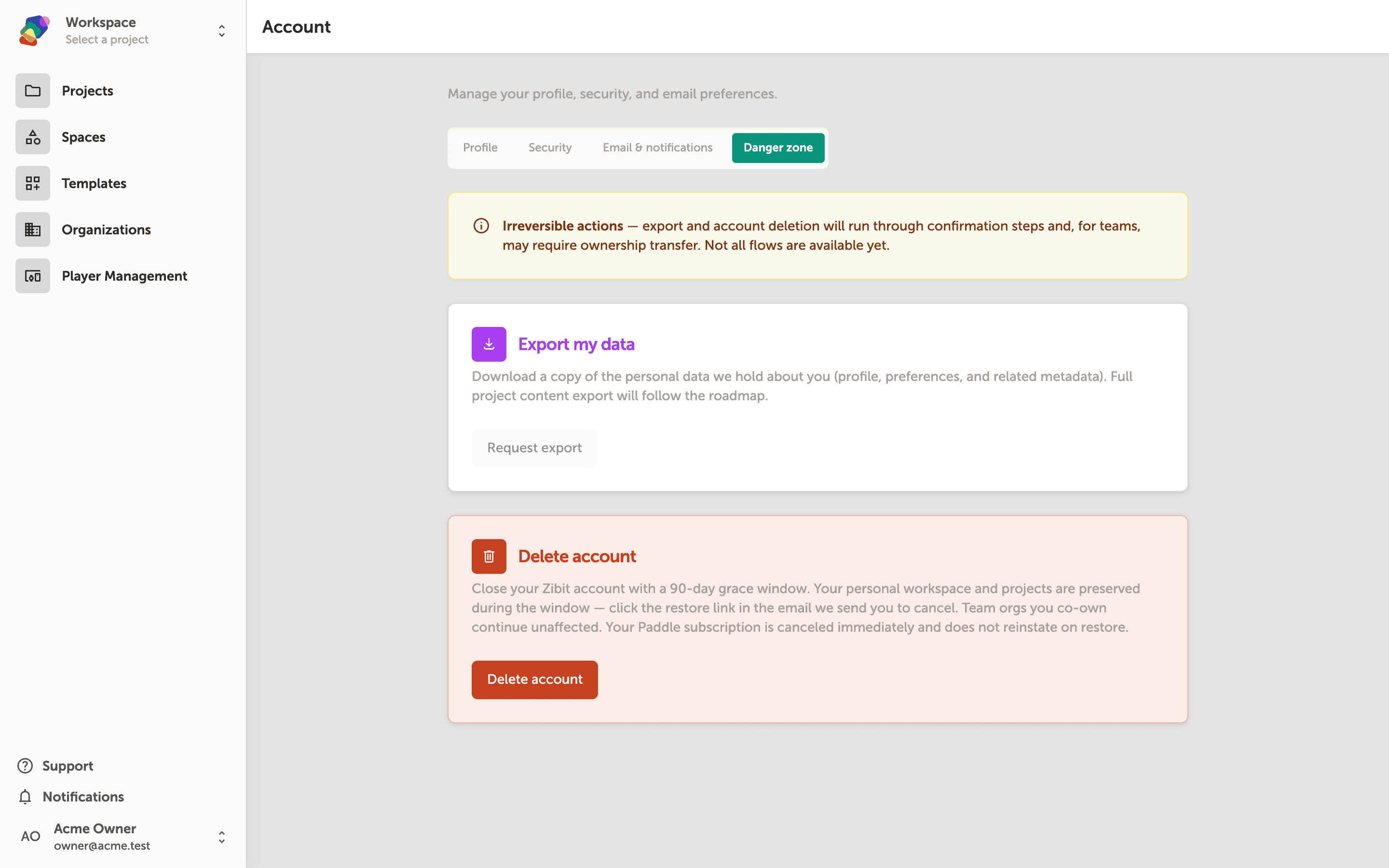
Read the consequences
Click Delete account. The dialog is titled Delete your account? It states the grace window, that you are signed out everywhere when you confirm, and that a subscription is canceled immediately and is not reinstated on restore. To confirm you would type delete my account. Do that only when you mean to leave. Cancel closes the dialog and changes nothing.
If you solely own a team organization, the dialog lists those organizations instead of letting you continue. Transfer ownership, then come back.
You are still signed in
After Cancel, you are back on the Danger page and the account is unchanged. If you do confirm later, the restore link in the email is what brings the account, the personal workspace, and memberships back. It does not restart the subscription.